
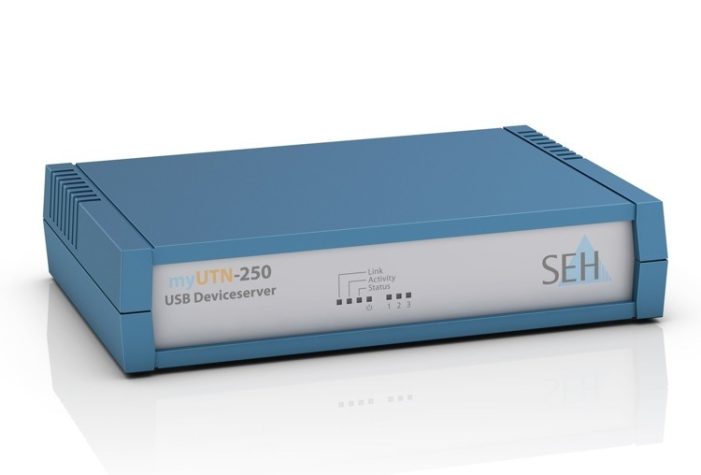
On top of its two USB 2.0 ports, the myUTN-250 USB device server is the first of its kind to be equipped with a USB 3.0 interface. This USB standard provides for a higher power supply for attached USB devices. The new USB device server fulfills all the demands of modern and future-ready professional networks based both on Windows and Mac OS X, including virtualised environments (VMware, Citrix, Microsoft Hyper V). The management and security functions of myUTN-250 either enable several users to share a USB device across the network or provide an exclusive and safe connection for one user via the network.
More Performance and Security
The new hardware base of myUTN-250 not only enables the support of the fast USB 3.0 standard, it also provides for a higher overall performance compared to the predecessor model myUTN-150. This functional range includes VLAN-readiness for operating USB devices in infrastructures with logical subnets (virtual local area network, VLAN), access control, encryption, authentication and device assignment, a function for defining which USB device types may be attached via myUTN-250. Unwanted USB devices cannot be attached to the network in this case. The port key control function allows only authorised users to access USB devices with a password key. Other users cannot even see the devices in the network. Additional value-added functions such as detailed e-mail notification complete the functional spectrum, which is transparently managed via the UTN Control Center web interface.
Service and System Requirements
The myUTN-250 USB Device Server for all Ethernet-networks including Gigabit (10BaseT/100BaseTX/1000BaseT) is IPv6-enabled and compatible with Windows 32/64-bit-versions (Server2012/2008/, Windows 8/7Vista/XP) and Mac OS X. The myUTN-250 comes with regular free software updates, technical support worldwide and a two year guarantee.

New SEH USB Device Server for Business Demands Supports USB 3.0 Standard added by Publisher on
View all posts by Publisher →
You must be logged in to post a comment Login